
Kazzo
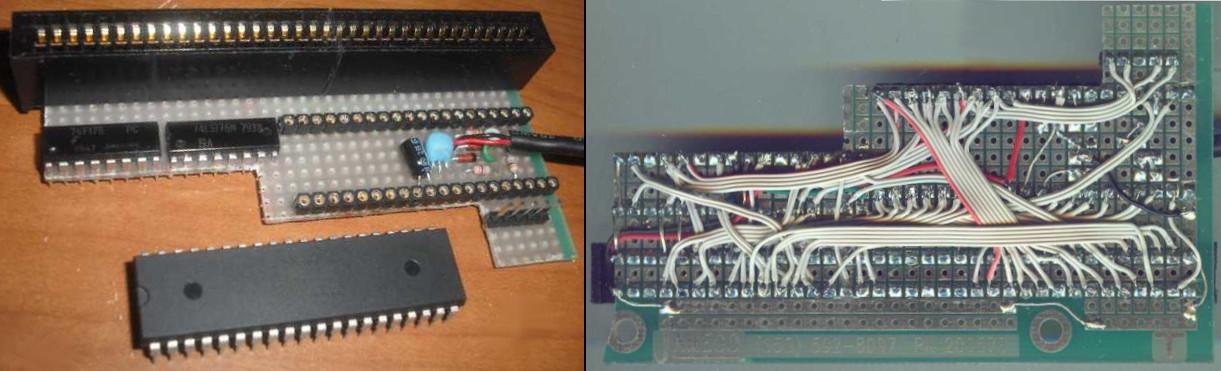
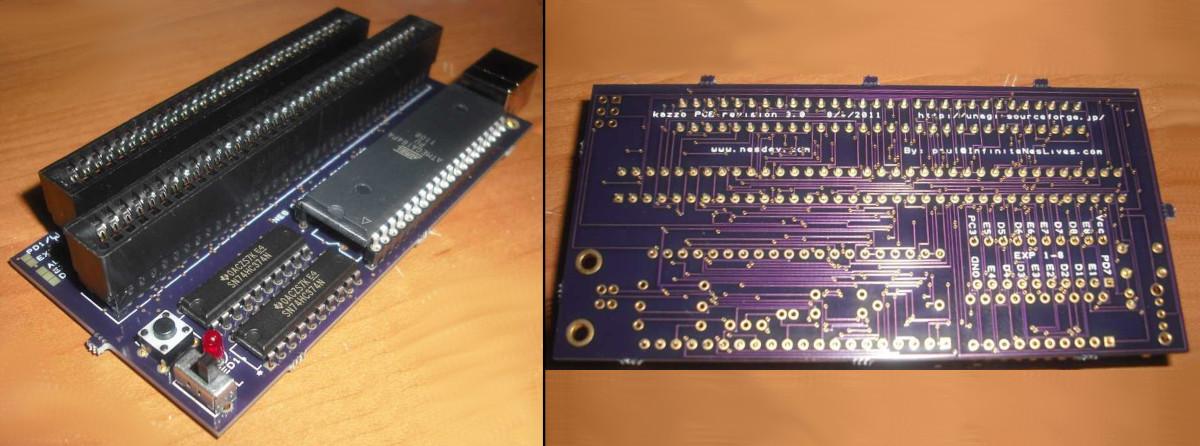
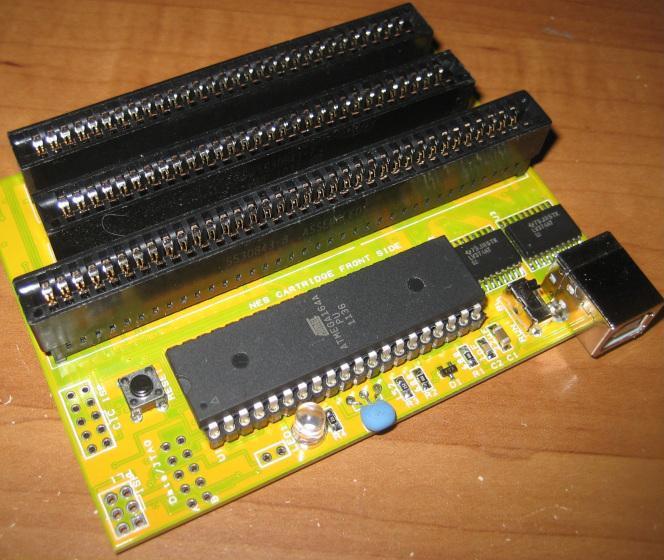
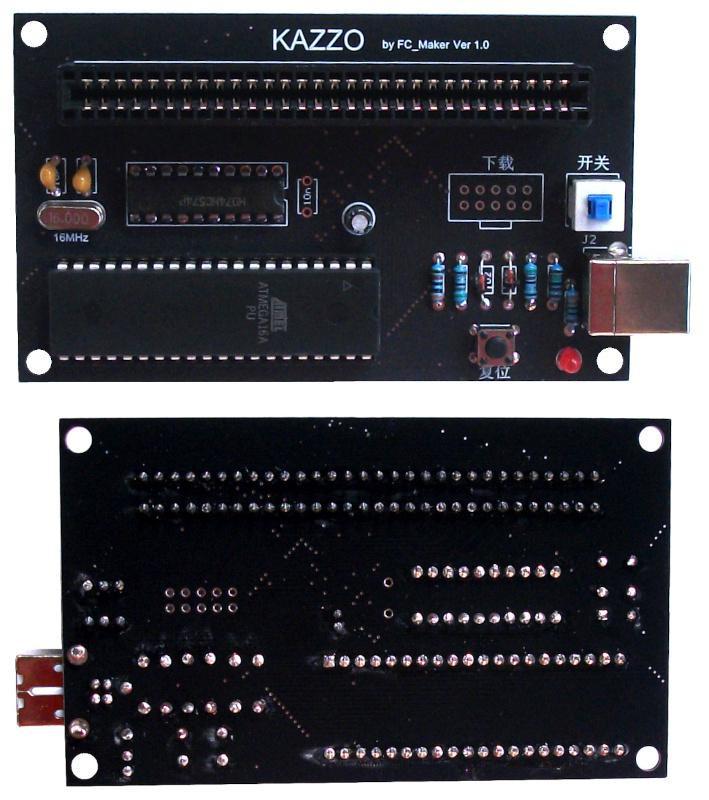
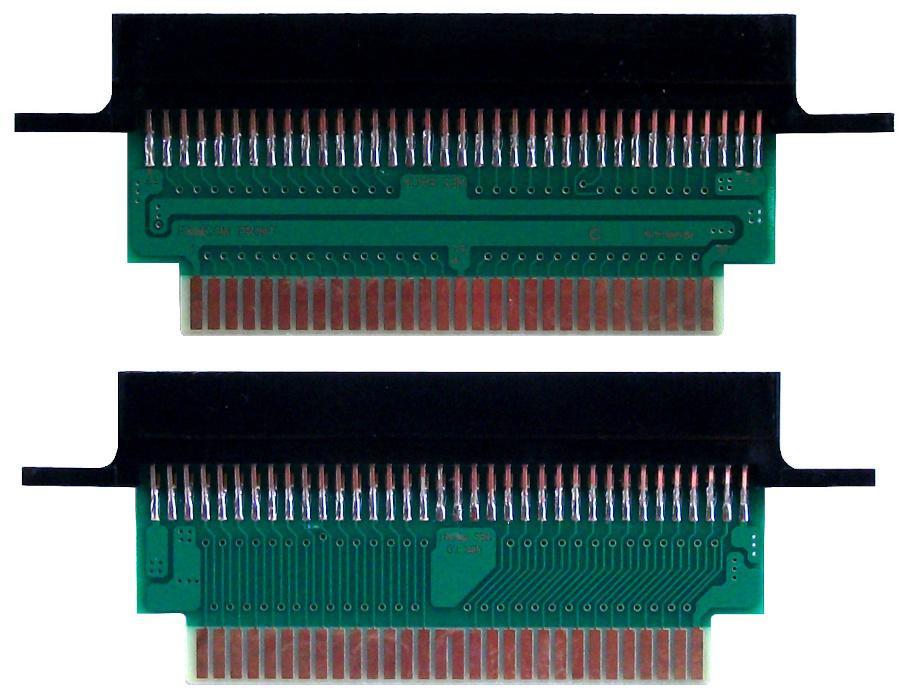
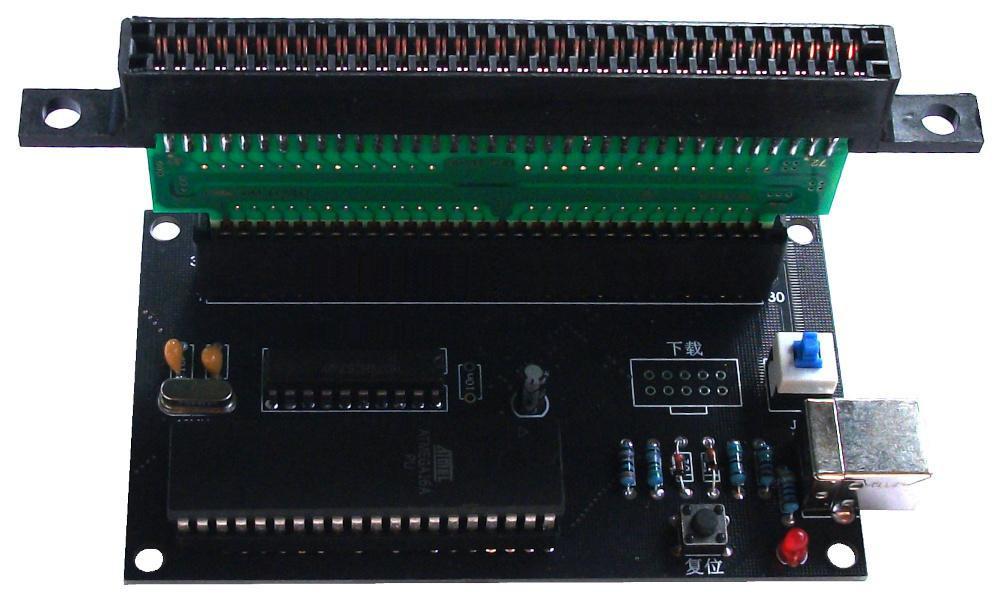
The Kazzo is a Famicom/NES cartridge dumper/flasher device made by Naruko before 2009.
It is still available on marketplaces, and used to be sold by InfiniteNesLives.
The Anago software is used to operate the device.
In 2018, InfiniteNesLives created the INLretro dumper/flasher to address the Kazzo’s limitations.
The first version of Kazzo is a simple dumper composed of 3 logical chips : ATMEGA164 + 2 x 74HC175 , and only one FAMICOM connector. It needs to be connected to an USB port of a computer (for example), so it can be used without an original console (contrary to CopyNES). The next version added a Nintendo NES connector.
It allows to dump :
- FAMICOM cartridges
- Nintendo NES cartridges (by using an adapter Nintendo NES / FAMICOM for the first version or copies versions)
Even if the project is closed, several copies of the original Kazzo PCB can be found on MarketPlaces, like Aliexpress. Usually, these copies are built with logical chips like ATMEGA16 + 74HC574, or others. They have either an USB-B port or an USB-C port for connecting to the computer.
These copies work like the original Kazzo dumper, so they can be used with Anago to dump the content of a cartridge, or to flash a blank cartridge.
For the first version or copies versions, dumping a Nintendo NES cartridge requires :
- 1 Kazzo dumper
- 1 adapter Nintendo NES 72 pins female to FAMICOM 60 pins male
Kazzo dumper works with the Anago software, which is the result of the Unagi project. This software was initially built for Windows, but a portage has been created for Linux. It works in command-line.
AnagoWx is a graphical software for Kazzo dumper under Windows.
Two different versions of Anago using two different syntaxes for scripts exist :
- Version 0.6.2 (mainline) :
   https://github.com/sharkpp/unagi_kazzo
   https://github.com/sharkpp/unagi_client
- Version 0.6.0l (legacy) :
https://github.com/zerkerX/anago
Scripts syntax differences between the two versions :
| Anago 0.6.2 mainline | Anago 0.6.0l legacy |
|---|---|
| cpu_rom = {size_base = 0x8000, size_max = 0x8000, banksize = 0x4000} | cpu_romsize = 0x8000, cpu_banksize = 0x4000 |
| cpu_ram = {size_base = 0x2000, size_max = 0x2000, banksize = 0x2000} | No equivalence |
| ppu_rom = {size_base = 0x4000, size_max = 0x4000, banksize = 0x2000} | ppu_romsize = 0x4000, ppu_banksize = 0x2000 |
| dofile("file.ai") | No include file possible |
| local ar = [i, i|2, i|4, i|5]; cpu_write(d, 0x8000, ar); | No array possible |
The legacy version (0.6.0l) is easy to compile and use but has some limitations and works only on Linux system.
The explanations in the following paragraphs are based on the Anago’s legacy version.
These commands work on a Linux Debian 13 system.
Linux Live versions can be run on an USB key or a CD/DVD without any installation on the computer. A Debian Live version can be downloaded at :
https://cdimage.debian.org/mirror/cdimage/archive/
Note : Select directories with -live suffix, and next, the architecture of the processor (amd64, …).
Example : Common Debian 13 Live version image :
Commands to execute in a terminal :
- Dependencies installation :
sudo apt-get install libsquirrel-dev libusb-dev libwxgtk3.2-dev
Anago 0.6.2 compilation / installation :
 mkdir anago-main
 cd anago-main
 git clone https://github.com/sharkpp/unagi_kazzo.git
 git clone https://github.com/sharkpp/unagi_client.git
 mv unagi_kazzo/ kazzo
 cd unagi_client
 mkdir -p SQUIRREL2 && cd SQUIRREL2
 includeDirectory=$(ls -d /usr/include/squirrel*/ | head -n 1)
 libDirectory=$(find /usr/lib* -name "libsquirrel*.so" -print | head -n 1 | sed -e 's/^\(\/[^\/]*\/[^\/]*\)\/.*$/\1\//g')
 ln -s "${includeDirectory}" include
 ln -s "${libDirectory}" lib
 cd ..
 sed -i 's/Werror/Wno-error/g' anago/anago.mk
 libSquirrel=$(find /usr/lib* -name "libsquirrel*.so" -print | head -n 1 | sed -e 's/^\/\([^\/]*\/\)*lib\(.*\)\.so$/\2/g')
 libSqstdlib=$(find /usr/lib* -name "libsqstdlib*.so" -print | head -n 1 | sed -e 's/^\/\([^\/]*\/\)*lib\(.*\)\.so$/\2/g')
 sed -i 's/\-lsquirrel[^ \t\n\r]*/-l'"${libSquirrel}"'/g' anago/anago.mk
 sed -i 's/\-lsqstdlib[^ \t\n\r]*/-l'"${libSqstdlib}"'/g' anago/anago.mk
 sed -i 's/GetPropVal/GetAttribute/g' anago/nescartxml.cpp
 sed -i 's/sq_setprintfunc(v, print_stdout);/sq_setprintfunc(v, print_stdout, NULL);/g' anago/squirrel_wrap.c
 sed -i 's/sq_setprintfunc(v, print_other);/sq_setprintfunc(v, print_other, NULL);/g' anago/squirrel_wrap.c
 cd anago
 make -f Makefile.unix
Execution :
   su
   ./anago d nrom.ad dumpfile.nes
Commands to execute in a terminal :
- Dependencies installation :
sudo apt install libsquirrel-dev libncurses-dev libusb-dev cmake
- Anago 0.6.0l compilation / installation :
   mkdir anago-legacy
   cd anago-legacy
   git clone https://github.com/zerkerX/anago.git
   cd anago
   mkdir build
   cd build
   export CFLAGS="$CFLAGS -fcommon"
   cmake ..
   make
   cp ../scripts/*.nut .
- Execution :
   su
   ./anago d ../scripts/nrom.ad dumpfile.nes
If the Anago executable file is installed in the build directory, the easy way is to copy the files dumpcore.nut, flashcore.nut and flashdevice.nut in the same directory :
   cd build
   cp ../scripts/*.nut .
Global syntax (for Linux) :
./anago mode script_file target_file [...]
NB : For Windows, the syntax is “anago.exe” in replacement of “./anago”
Used to create iNES ROM images from carts.
Syntax :
./anago d?? script_file dump_file mapper
| Parameter | Description | |
|---|---|---|
| d?? | Dumping progress display with ncurses | |
| D?? | Dumping progress display is same as unagi.exe | |
| d?? or D?? | If given, the ?? portion determines the length of the ROM to dump in multiples of the mapper's configured width for the program ROM portion and character ROM portion respectively. For example, UNROM boards use 128KB PRG ROMs while UOROM boards use 256KB ROMs. A dumper script is provided for UNROM. To dump a UOROM board, use the UNROM script with the d2 option. | |
| ? | 2 | 2 is applicable for unrom.ad, mmc3.ad and mmc5.ad (the first ? is for CPU increase, the second ? is for PPU increase) |
| 4 | 4 is applicable for mmc5.ad (the first ? is for CPU increase, the second ? is for PPU increase) | |
| script_file | Specifies .ad, .ae or .ag file for target cartridge | |
| dump_file | Output file, typically ending in .nes | |
| mapper | If given, overrides the mapper number in the output iNES ROM image. This is useful for mapper ASICs that are assigned multiple iNES mapper numbers such as MMC3/6. | |
Example 1.1 : Getting an image for UNROM
./anago d unrom.ad unrom.nes
Anago gets vram mirroring connection from target cartridge.
Example 1.2 : Getting an image for UOROM
./anago d2 unrom.ad unrom.nes
UOROM data size is twice that of UNROM. This must be specicifed by hand.
Example 2 : Getting an image for Metal Slader Glory / ELROM
./anago d22 mmc5.ad hal_4j.nes
In many cases, it is enough by 2M+2M to dump images for MMC5. MMC5 can manage 8M+8M. Please specify it individually according to capacity.
Example 3 : Getting an image for Ys III / TKSROM
./anago d mmc3.ad vfr_q8_12.nes 118
Enter digits on last commandline word to change mapper number for MMC3 variants.
Write to Flash ROM chips on specially prepaired flash carts.
Syntax :
 ./anago f?? script_file programming_file prg_chip chr_chip
 ./anago F?? script_file programming_file prg_chip chr_chip
 ./anago a?? script_file programming_file prg_chip chr_chip
| Parameter | Description | |
|---|---|---|
| f?? | Usual mode | |
| F?? | Validate written memory and abort if there is a discrepancey. | |
| a?? | Use DRIVER_DUMMY | |
| f?? or F?? | If given, the ?? portion controls the fill mode for the PRG and CHR Flash ROM chips respectively. If omitted, Fill Mode is assumed. Use DRIVER_KAZZO | |
| ? | f | Fill mode. The entire ROM chip is overwritten, duplicating the PRG or CHR ROM contents as many times as nessecary to fill the chip. This is the slowest option but may be needed under some curcumstances. If unsure, use this mode. In general, if your mapper has an unknonw power-on state or the top address lines of the ROM may float at runtime, always use this mode. |
| t | Only writes the ROM image once to the top-most portion of the chip. This mode is typically safe for CHR-ROM for any mapper, as the power-on state is immaterial with a proper initialization routine. | |
| b | Only writes the ROM image once to the bottom-most portion of the chip. Use with caution, most mapper's power-on states are incompatible with this mode. | |
| e | Write nothing for this memory device. This is equivalent to specifiying a dummy device. | |
| script_file | Specifies .af or .ag file for target cartridge. | |
| programming_file | Specifies the input iNES image file. | |
| prg_chip chr_chip | Specifies the Flash ROM chip present for each memory type in the target flash cart. Supported devices are listed in "flashdevice.nut" : dummy , W29C020 , W29C040 , W49F002 , EN29F002T , AM29F040B , PM29F002T , MBM29F080A. "dummy" is a special device name that will transfer no data. Use this to avoid overwriting one of the memory chips. | |
Example 1.1 : Tranfer 1M+1M image to mmc3 / TLROM
./anago f mmc3.af tlrom_1M_1M.nes AM29F040B AM29F040B
In this case the board is configured with 4M flash ROMs. The MMC3 can only map 2M of CHR-ROM, so the high address line is assumed to be tied (either high or low). Anago would transfer the PRG portion four times to fill the PRG chip, and the CHR portion two times to fill the CHR chip.
Example 1.2 : Tranfer 1M+1M image to mmc3 / TLROM
./anago ftt mmc3.af tlrom_1M_1M.nes AM29F040B AM29F040B
In this example the PRG and CHR ROMs are only written once, this time to the top portion of each chip, in order to save time. The program code will need to be aware of this arrangement and only use the top-most bank numbers.
Example 1.3 : Tranfer 1M+1M image to mmc3 / TLROM
./anago fbt mmc3.af tlrom_1M_1M.nes AM29F040B AM29F040B
In this example the PRG ROM is written to the bottom 1M of the PRG ROM chip and the CHR ROM is written to the top 1M of the CHR ROM chip. The origional author remarks that this often works with Konami and Namcot titles.
Incidentally, mmc3 is not compatible with Namcot 109. The 109 board has hard-wired vram mirroring, mmc3 does not. Furthermore Namcot 106 is a fictitious device with well known extra sound. Don’t miss 109 and 106.
- Note that the second translator does not fully understand the meaning of the above paragraph.
Example 2 : Transfer UNROM(1M) image to UOROM
./anago ft uorom.af unrom.nes AM29F040B
If charcter memory is RAM, charcter device can be skip. Again the program will need to only use the upper bank numbers.
Example 3 : Transferring only charcter ROM image to mmc1/ SLROM
 ./anago ftt mmc1_slrom.af skrom.nes dummy AM29F040B
 ./anago fet mmc1_slrom.af skrom.nes AM29F040B AM29F040B
Both commands result in the same behavior. Choose the one that suits your taste.
Notes :
- If the concepts of Top and Bottom transfer are not clear, and their impact and requirements on your software are not obvious, please use the full transfer mode at all times.
- Anago does not have WRAM reading or writing mode at this time. Please use the Unagi utility for this purpose if needed.
Extensions for Anago scripts are :
| .ad | for dumping scripts (that contain functions : cpu_dump() and ppu_dump() (without cpu_ram_access())) |
| .ae | for dumping scripts (that contain function : cpu_ram_access()) |
| .af | for flashing scripts (that contain functions : cpu_transfer() and ppu_transfer()) |
| .ag | for both dumping and flashing scripts (that contain functions : cpu_dump(), ppu_dump(), cpu_transfer() and ppu_transfer()) |
| .ai | for include scripts (that are called by other scripts with the dofile() function) |
An Anago dumping script is mainly composed of 3 parts :
- Initialization variable “board” :
 board <- {
   mappernum = XXX,
   cpu_romsize = XXX, cpu_banksize = XXX,
   ppu_romsize = XXX, ppu_banksize = XXX,
   ppu_ramfind = false, vram_mirrorfind = false
 };
| mappernum | Mapper number |
| cpu_romsize | Size of the PRG to dump in bytes. It can be set in decimal, hexadecimal or with the constant “mega” (Example : cpu_romsize = 2 * mega) |
| cpu_banksize | Size of the bank dumped at each iteration |
| ppu_romsize | Size of the CHR to dump in bytes. It can be set in decimal, hexadecimal or with the constant “mega” (Example : ppu_romsize = 2 * mega) |
| ppu_banksize | Size of the bank dumped at each iteration |
| ppu_ramfind | |
| vram_mirrorfind | Mirroring type (true = vertical mirroring / false = horizontal mirroring) |
- cpu_dump() function (to dump PRG part) :
function cpu_dump(d, pagesize, banksize)
| pagesize | The number of iteration. The value of this parameter is the result of what has been set in the board variable : pagesize = cpu_romsize / cpu_banksize |
| banksize | The value of this parameter is the value set in the board variable for cpu_banksize |
- ppu_dump() function (to dump CHR part) :
function ppu_dump(d, pagesize, banksize)
| pagesize | The number of iteration. The value of this parameter is the result of what has been set in the board variable : pagesize = ppu_romsize / ppu_banksize |
| banksize | The value of this parameter is the value set in the board variable for ppu_banksize |
In basic scripts, cpu_dump() and ppu_dump() functions contains a loop :
 for (local i = 0; i < pagesize; i++) {
   cpu_write(d, addressPart, dataPart);
   cpu_read(d, address, banksize);
 }
| addressPart | Formula depending of the base address for the dump and the iteration variable i (Example : 0x8000 | i) based on the CPU_Ax description (x=0 to 15) |
| dataPart | Formula depending of the iteration variable i based on the CPU_Dx description (Example : i) (x=0 to 7) |
| address | Address where to read the bank (Example : 0x8000) |
| pagesize | Generally, the value of the parameter of the function but it can be different |
| banksize | Generally, the value of the parameter of the function but it can be different |
An Anago flashing script is mainly composed of 4 parts :
- Initialization variable “board” :
 board <- {
   mappernum = XX, vram_mirrorfind = false,
   cpu = {banksize = XXXX, maxsize = XXXXXX},
   ppu = {banksize = XXXX, maxsize = XXXXXX}
 };
- program_initalize() function :
function program_initalize(d, cpu_banksize, ppu_banksize)
- cpu_transfer() function (to flash PRG part) :
function cpu_transfer(d, start, end, cpu_banksize)
- ppu_transfer() function (to flash CHR part) :
function ppu_transfer(d, start, end, ppu_banksize)
 /usr/bin/ld : CMakeFiles/anago.dir/reader_dummy.c.o:(.data.rel.ro.local+0x0) : définitions multiples de « DRIVER_DUMMY »; CMakeFiles/anago.dir/anago.c.o:(.rodata+0x60) : défini pour la première fois ici
 /usr/bin/ld : CMakeFiles/anago.dir/reader_kazzo.c.o:(.data.rel.ro.local+0x0) : définitions multiples de « DRIVER_KAZZO »; CMakeFiles/anago.dir/anago.c.o:(.rodata+0x0) : défini pour la première fois ici
 collect2: error: ld returned 1 exit status
 make[2]: *** [CMakeFiles/anago.dir/build.make:298 : anago] Erreur 1
 make[1]: *** [CMakeFiles/Makefile2:96 : CMakeFiles/anago.dir/all] Erreur 2
 make: *** [Makefile:171 : all] Erreur 2
Solution : This error can be solved by adding the -fcommon option for the ld linker before compilation :
In the Anago root directory (anago-master/), run in a terminal :
   rm -rf build
   mkdir build
   cd build
   export CFLAGS="$CFLAGS -fcommon"
   cmake ..
   make
   cp ../scripts/*.nut .
 Could not find USB device "kazzo" with vid=0x16c0 pid=0x5dc; code: 1
 reader open error
Solution : This error indicates that the user doesn’t have the permission for accessing to USB device.
A simple workaround is to run Anago in root mode in a terminal, though this causes dumped ROM files to have root ownership/permissions :
   su
   ./anago d ../scripts/nrom.ad dumpfile.nes
or :
sudo ./anago d ../scripts/nrom.ad dumpfile.nes
The proper solution is to create a udev rule to add the Kazzo device to a group with appropriate USB/serial permissions, such as uucp on Arch.
dump core script error
Solution : The files dumpcore.nut , flashcore.nut and flashdevice.nut must be into the same directory than the Anago executable or into one of the directories :
- .
- ${HOME}/.config/anago/
- CMAKE_INSTALL_PREFIX/SHARE_DIR
Example : In the Anago build directory (anago-master/build/), run in a terminal :
   cp ../scripts/*.nut .
   ./anago d ../scripts/nrom.ad dumpfile.nes
 AN ERROR HAS OCCURRED [the index 'cpu_romsize' does not exist]

 CALLSTACK
 *FUNCTION [dump()] dumpcore.nut line [8]

 LOCALS
 [vram] 1
 [increase_ppu] 1
 [increase_cpu] 1
 [mappernum] XXX
 [d] USERPOINTER
 [this] TABLE
Solution : Rewrite the script with the syntax corresponding to the Anago version program.
For example, if the script syntax was written for the Anago mainline version :
 board <- {
     mappernum = XXX,
     cpu_rom = {
       size_base = XXXXXX, size_max = XXXXXX, banksize = 0x4000
     },
     ppu_rom = {
       size_base = YYYYYY, size_max = YYYYYY, banksize = 0x2000
     },
     ppu_ramfind = false, vram_mirrorfind = true
   };
The valid syntax for the Anago 0.6.0l legacy version is :
 board <- {
     mappernum = XXX,
     cpu_romsize = XXXXXX, cpu_banksize = 0x4000,
     ppu_romsize = YYYYYY, ppu_banksize = 0x2000,
     ppu_ramfind = false, vram_mirrorfind = true
   };
| md5sum kazzo.zip | b4b924d0432fdaa0e13271136d77ef05 |
Anago legacy release (Linux portage of Anago) :
| Releases | MD5SUM | Date | Size |
|---|---|---|---|
| 0.6.0l | 0df72848e948fdebe0df4cfcdd82ecad | Mar 30, 2019 | 66462 bytes |
Anago mainline release :
Anago scripts (Github repository for getting and adding Anago scripts) :